Payment Request Match for Internal Vendors - PRMI
Purpose
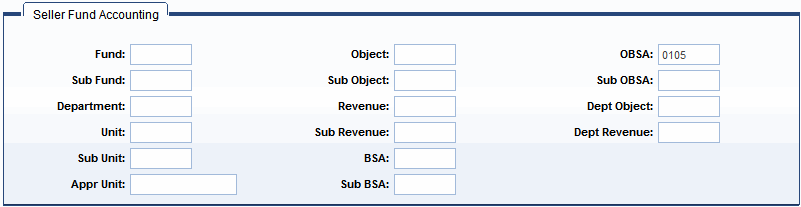
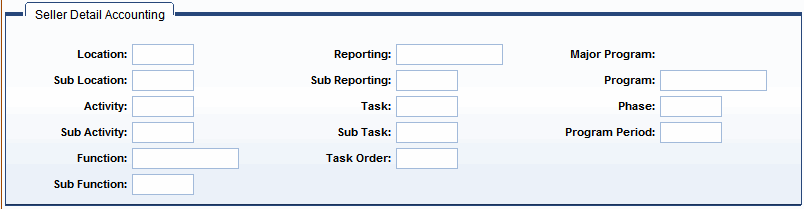
The Payment Request Match for Internal Vendors (PRMI) is used to pay vendors who are classified as internal on the Vendor Customer (VCUST) table. PRMI documents are generated by the Matching Manager. It gets created based on the Match Indicator of the purchase order document it references. See PRM Purpose section above for details on how the Match Indicator is set. The PRMI infers the seller fund and detail accounting, as well as Bank Account and Event Type information from the Internal Vendor Accounting Data (IVAD) table for the vendor specified. The PRMI works like the PRM for external vendors, except, instead of the disbursement, there will be a transfer between the funds specified.
Note: For the PRMI, an internal vendor is one that is identified as an internal account and has a disbursement category defined as internal on VCUST.
For more information on the PRMI and the Automated Match process, refer to the CGI Advantage Procurement Run Sheets guide and the "Matching" section in the CGI Advantage Procurement User Guide.
Structure
As with the PRM, almost all fields on the PRMI are protected. Once the document is generated, the field values cannot be changed with a few exceptions.
The PRMI document has six sections, similar to the PRC document. Their differences are:
-
The Header section does not have the Payee tab as in the PRC.
-
The Vendor section has four tabs. In addition to the same General Information and Invoice Information tab as in the PRC, it has the following two tabs:
-
-
The Commodity section has four tabs, not eight as in the PRC. It does not include the Agreement Reference, Discount Terms, Fixed Asset, or Additional Amounts, sections.
Tasks